Have you ever been frustrated by the lack of interactivity when working with Python? You just want to iterate quickly and see if your script works as expected, without manually running each notebook cell or spawning a debugger to understand what’s going on. I have.
At the end of last year (2025), I was teaching my kids programming with Python. Following their book’s introduction, we saw that the suggested tools were the classics: IDLE or the REPL. I was surprised the book didn’t suggest using a notebook or Repl.it. So, I decided to show them how to use Jupyter Notebook, Marimo, or Repl.it instead.
However, while watching my kids play around with the code, I noticed a problem. As they typed and moved down through the code, they didn’t know the effect of what they were doing. They had to click “Run” (keyboard shortcuts are not yet their thing) every time just to see if their changes were actually working.
This reminded me of some of Bret Victor’s Learnable Programming concepts. It is easier to understand what we can see! As developers, we lose this need over time; we can conceptualize what is happening before running the code. But learners? Definitely not.
So, I took it upon myself to spend the last two weeks of Christmas break building a tool that I would use, and that my kids would love to use for learning. I called it Weft, a reactive and interactive Python experience in your browser. No account is needed, and everything runs locally in your browser. It is currently in alpha, so feel free to try it and give feedback!
Why the name Weft?
Weft comes from the “warp and weft” technique used in textile production to create fabric. The weft threads are the horizontal threads woven between the vertical warp threads. In programming, “weft” can be thought of as the horizontal lines of code that constitute a program. The continuous nature of the thread describes the reactive nature of the tool.
How does it work?
In Weft, the code is automatically parsed and split into cells. Each cell is either a simple statement or a compound
statement (e.g., if, for, while, try, with, def, class, etc.). As you edit the code, Weft detects the
changes, finds which cells are affected, and re-executes only those dependent cells.
For example:
a = 27
b = 19
c = a + b
print(c)
If you change a to 28, Weft only re-executes the cell defining a and the cell c = a + b. It then detects that
print(c) depends on c (which just changed), so it executes that as well.
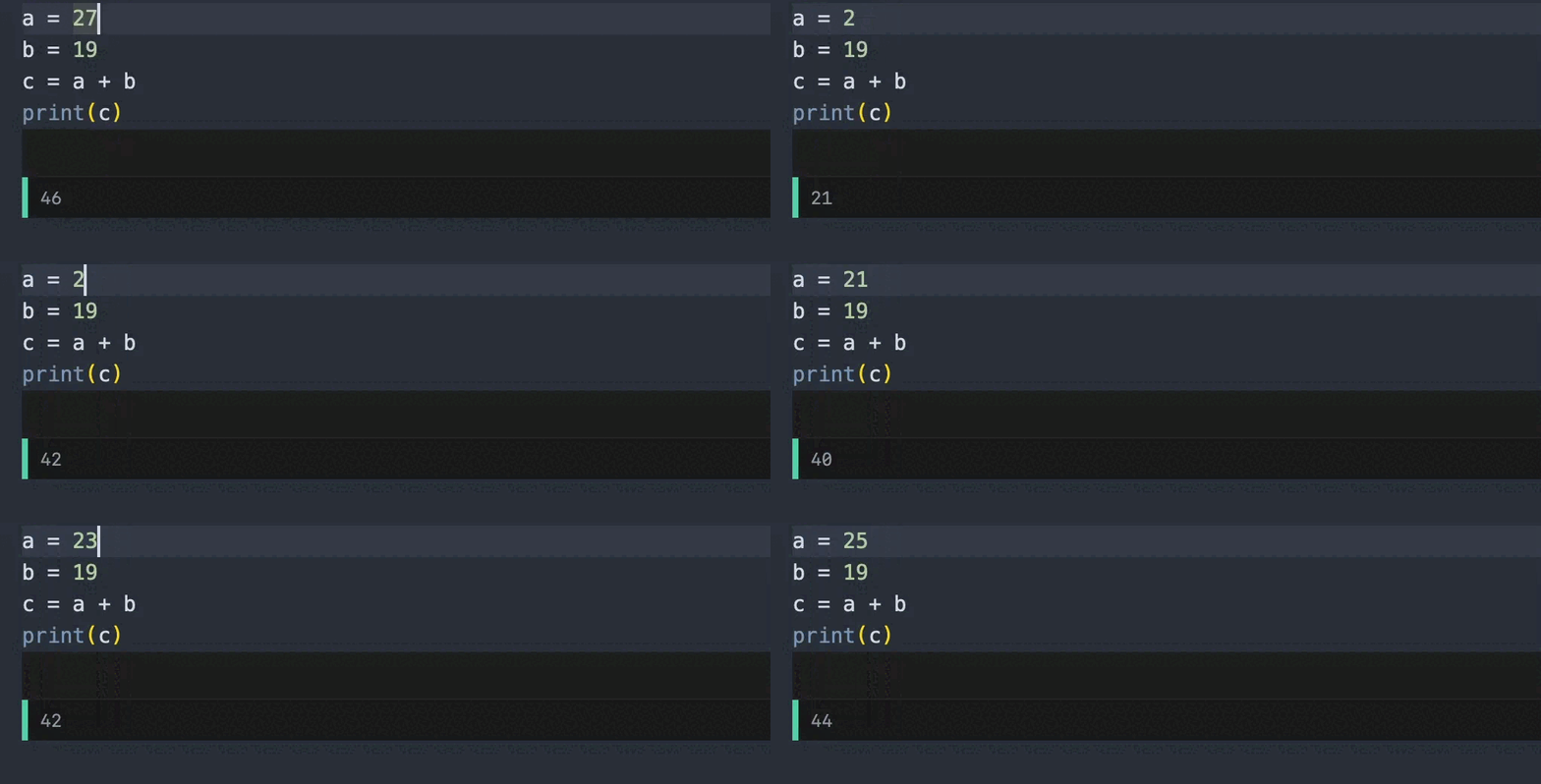
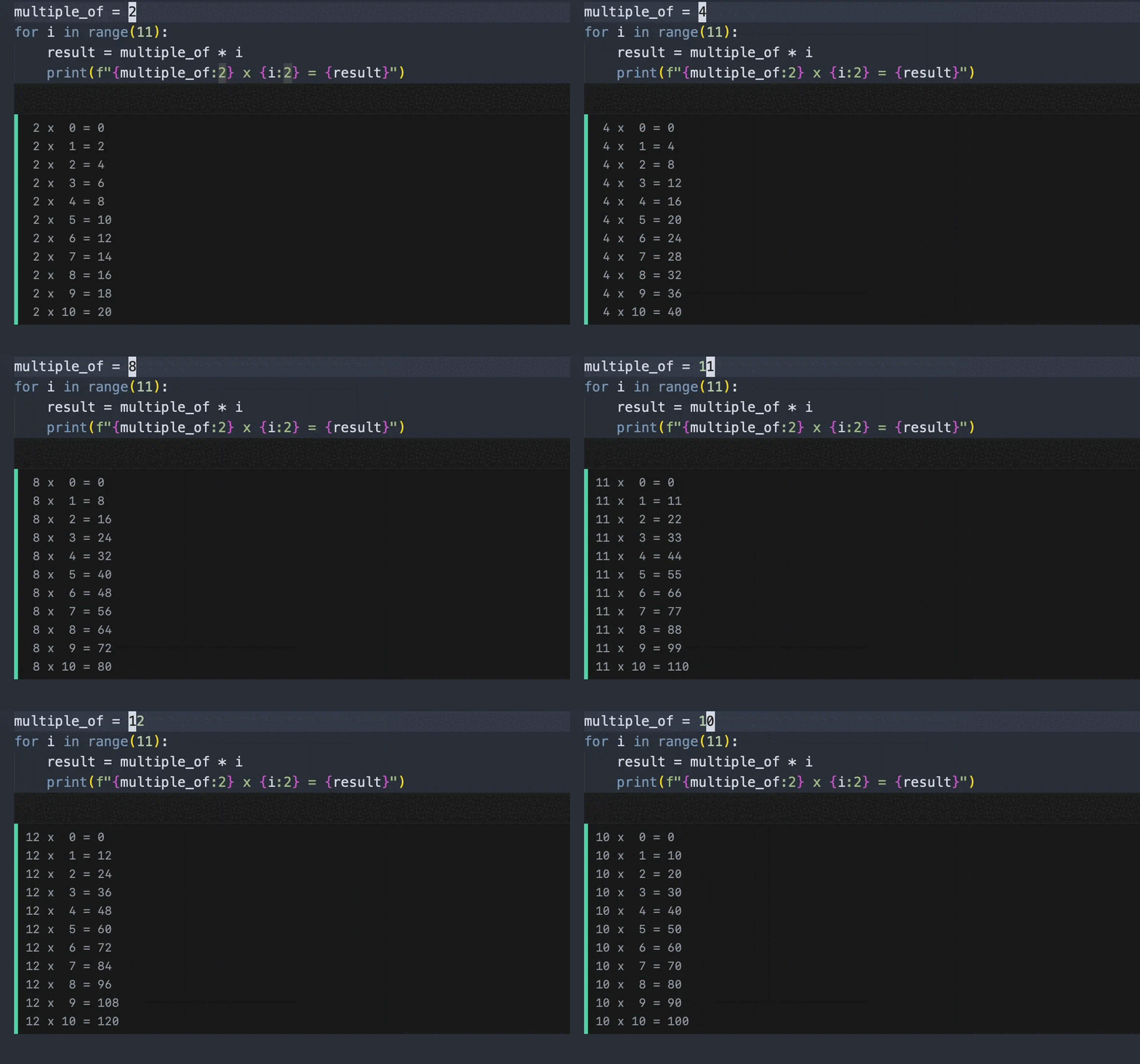
The same thing happens for much more complex statements, such as loops (this is taken from the book where my kids had to print multiplication tables):
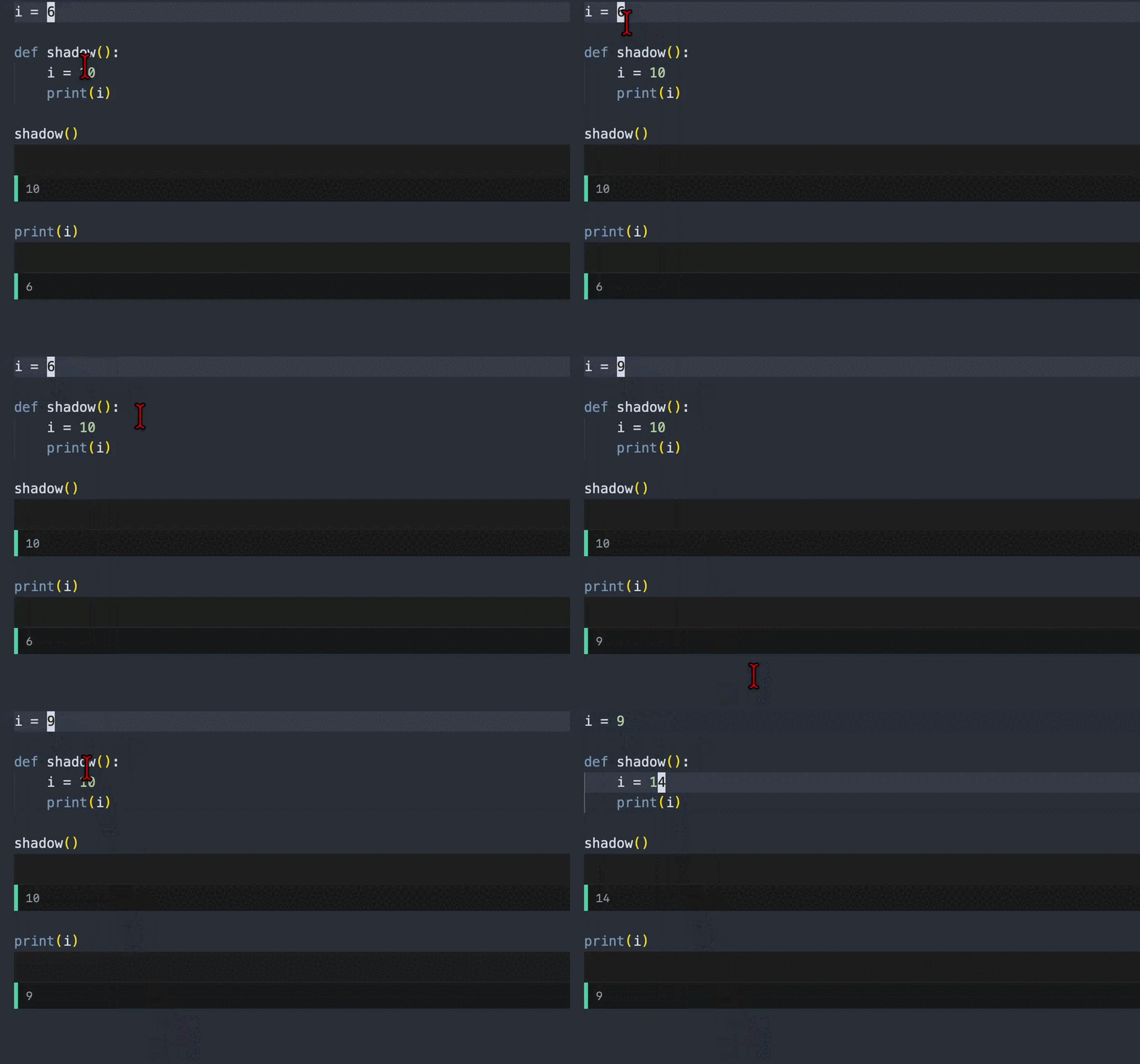
Weft analyzes each cell body using Ruff to extract its components. This includes variable names, expressions, variable scope, and dependencies. For example, Weft can detect that a variable is different from the one it shadows:
How does it find changes?
Weft uses the same diff algorithm as git, called Myers Diff, to find the minimal set of changes between two strings. For a few reasons (perhaps a subject for a future post), we can’t use a standard diff implementation like imara because we compare “Cells,” not lines of code. Therefore, Weft uses a custom implementation of the Myers algorithm.
Once the diffs are found, Weft builds a simple dependency graph between cells. The playground uses this graph to re-execute only the affected cells.
What’s already implemented?
- Support for Python 3.13 using Pyodide
- Reactive code analysis (to be open-sourced in a few weeks)
- Support for loading packages from PyPI using micropip
- Display of exceptions, stdout, and parsing errors
What’s next?
- Open sourcing the whole project (likely under AGPLv3). I need to clean things up first, as the current version is based on a rough prototype.
- Providing a CLI to do the same thing using your local native Python environment and IDE.
- Adding auto-completion support.
What now?
Please try it out and give feedback! Just keep in mind that it is currently in alpha and meant for teaching purposes